Every match, automatically
Whole sessions, not just the last 30 seconds you remembered to save. The clutch you didn't see coming is already on tape.
REC · automatically
Postmatch starts recording when your game starts and has the match waiting when you quit — compressed, named and in your library. No hotkeys. No account. No "I wasn't recording".
Free beta · Windows 10 & 11 · 55 MB · no admin prompt · What's new
Windows may warn about a new app: choose Keep, then More info → Run anyway.
Recorded with Postmatch







Postmatch starts by itself the moment a game starts — from aces to accidents, it's always rolling (even when you forgot it was there).
REC Battlefield 6



 VALORANT







 + any PC game
Other recorders save the last few seconds when you press a key — if you remember. Postmatch has the whole match already, so the play you didn't see coming is on tape too.
Want a key anyway? A save-the-moment hotkey is Soon
How it works
REC 00:42:17
01 · you
Launch any game. Postmatch spots it and starts recording, with game sound and your mic on separate tracks. A thin red REC bar is the only sign it's there.
✓ Saved · compressed to 5.2 GB
02 · Postmatch
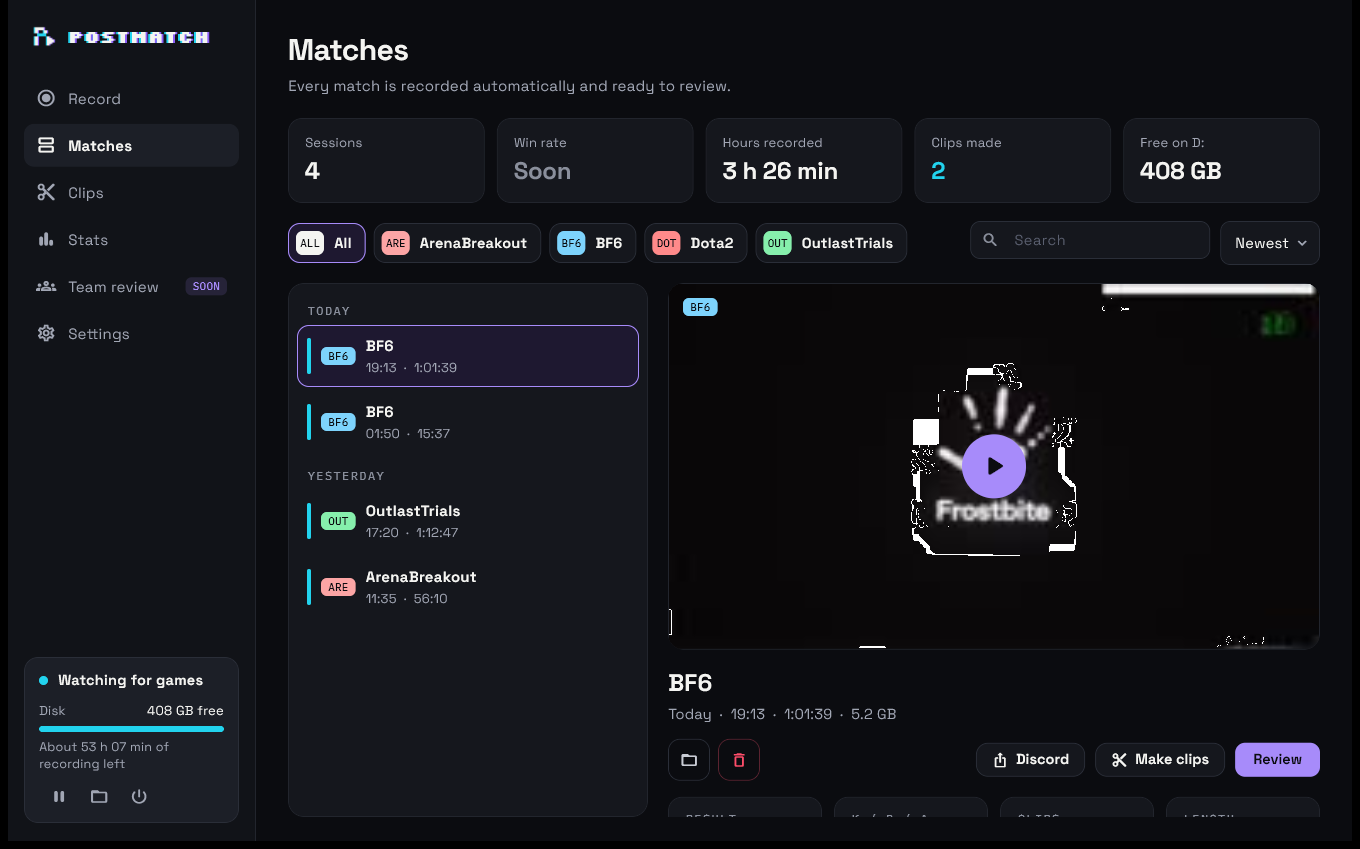
When the game closes, the recording is compressed on your GPU and lands in Matches, named by game and time, with the game's own icon.
CLIP 02 · 0:39
03 · one click
Pick the match and press Make clips. Postmatch finds the loudest moments and cuts 9:16 clips, ready for Shorts and TikTok.
Features
Whole sessions, not just the last 30 seconds you remembered to save. The clutch you didn't see coming is already on tape.
About 30 MB in the tray when you're not playing, about 113 MB while recording. The dashboard only runs when you open it.
HEVC on your GPU at a VMAF score of 95.9 — visually the same as the source — at 17.7 MB a minute. On PCs that can't play HEVC, it saves H.264.
Your loudest moments as 9:16 clips, cut and framed for you. Tick a few in the Clips list to share or clear space in one go.
One click makes a copy under Discord's 10 MB limit and puts it in front of you, ready to drag into the chat.
Nothing is injected into your game and no keys are ever sent to it. Postmatch captures the window the way Windows itself does.
Setup scans your PC for installed games — Steam, Riot, Epic, Xbox and more — and each one shows up with its own icon.
Your voice gets its own track next to the game sound. Pick which microphone in Settings, or turn it off.
Recordings are written crash-safe, so a blue screen mid-game still leaves you everything up to that moment.
Matches
Your matches on the left, grouped by day. Click one to see it on the right, with Review, Make clips and Discord one click away.
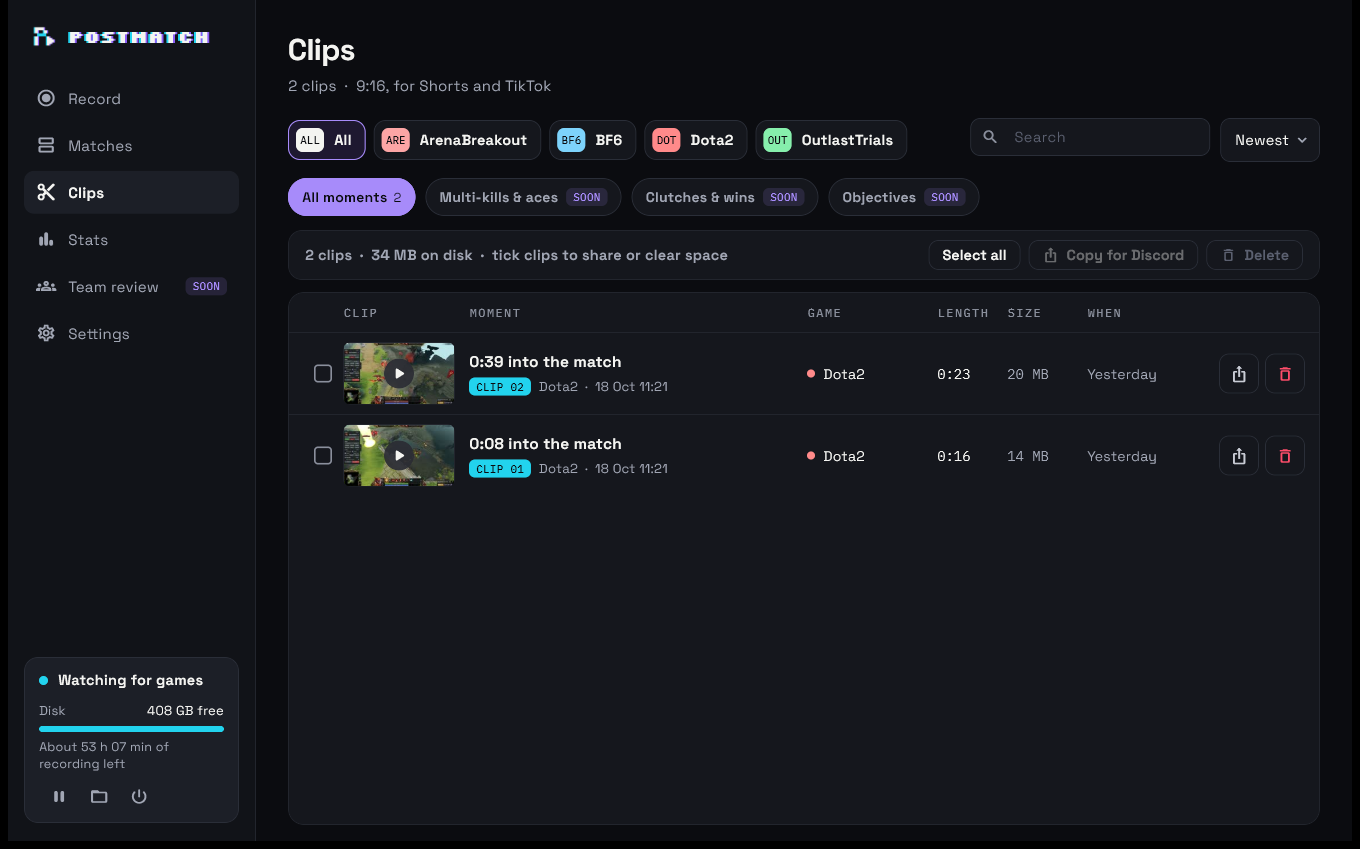
Clips
Postmatch listens to the match, finds the moments where things got loud, and frames them for vertical video: the action in the middle, a blurred backdrop behind.
Benchmark
All four recording the same 60 seconds of a live Dota 2 match at 1920×1080, measured per app on one NVIDIA PC.
| Postmatch | OBS Studio | Medal | Outplayed | |
|---|---|---|---|---|
| RAM while recording | 113 MB | 326 MB | 1,156 MB | 1,073 MB |
| RAM when idle | ~30 MB | 164 MB | 845 MB | 403 MB |
| CPU while recording | 0.5% | 1.6% | 1.8% | 1.0% |
| GPU 3D (cost to your FPS) | 1.8% | 3.0% | 1.6% | 1.1% |
| Disk per minute | 17.7 MB | 34 MB | 87 MB | — |
| Frame rate in the file | 60, constant | 60, constant | ~59.7, variable | — |
| Account needed | No | No | Yes | Yes |
RAM is the working set of all of each app's processes. Disk per minute is after each app's own compression; Outplayed's file couldn't be located. One machine, one game, October 2026 — your results will vary.
Coming soon
Not in the app yet — these show as "Soon" in the dashboard until they are.
Aces, clutches and objectives clipped for you as they happen.
Win or loss and K/D/A next to every match, and your win rate.
Save the last 30 seconds or mark a moment without leaving the game.
Watch a match with your team and leave notes on the timeline.
Our promise
Under 2% of your GPU's 3D time and half a percent of CPU while recording.
No injection, no overlays, no keypresses — nothing for anti-cheat to object to.
No sign-in and no uploads. Your recordings stay on your drive, in a normal folder. The only time Postmatch goes online is to check for updates.
FAQ
Yes, Postmatch is free during the beta, with no ads.
Any PC game. Setup scans your PC for installed games, and any game you play fullscreen is recognised from then on: games from Steam, Epic, Riot, Xbox, EA, Ubisoft and GOG, and anything Windows itself knows as a game. You can also add a game by hand in Settings.
Postmatch never injects anything into a game or sends it input. It records through Windows' own capture (Windows Graphics Capture, or Desktop Duplication on Windows 10), the same way Windows' own tools do.
Yes. Windows draws a yellow border around a window being captured; Windows 11 lets Postmatch hide it. Windows 10 can't hide it, so there Postmatch records the game's area of the screen instead — no border, and while you're alt-tabbed out that part of the video stays black, so nothing else on your screen is recorded.
Recording uses your GPU's video encoder, a separate chip from the part that draws your game. In our test it used 1.8% of the GPU's 3D time and 0.5% of the CPU.
To a Postmatch folder on the drive you pick during setup, one folder per game. You can change it any time in Settings. Nothing is uploaded.
The dashboard checks for new versions and shows an update button — one click downloads, installs and reopens Postmatch. Your settings and recordings are kept. See what's new.
Windows 10 (version 1903) or 11, 64-bit. A GPU with a hardware encoder (NVIDIA, AMD or Intel) gives the smallest files; without one, recordings are kept as H.264.
Open Settings and press Send logs: Postmatch saves its logs and your PC's details in one zip and shows it in Explorer. Send that file to whoever helps you — nothing is uploaded on its own.

Free beta · Windows 10 & 11 · 55 MB